
AI ERP Singapore
AI ERP Singapore. Less admin. More control.
Connect sales, stock and finance in a system built around your team. AI prepares drafts and flags exceptions; your people review the work and approve the actions. Start with the workflow that causes the most chasing.
Custom enterprise resource planning (ERP) software, built for Singapore SMEs. From $3.5k onwards.
From S$3.5k
First working module, fixed quote upfront
4 to 8 weeks
Typical time to a first module your team uses
100% ownership
You keep the source code and your data
BUILT AROUND REAL OPERATIONS
One workflow. Fewer handoffs.
REPASSA ERP
See the custom ERP project for a regional industrial trading and engineering group, where quotations, purchasing, deliveries and invoicing need to stay connected.
Real ERP project evidence. The AI workflow below is an illustrative starting point, not a claim about this client's AI deployment.
Explore this project →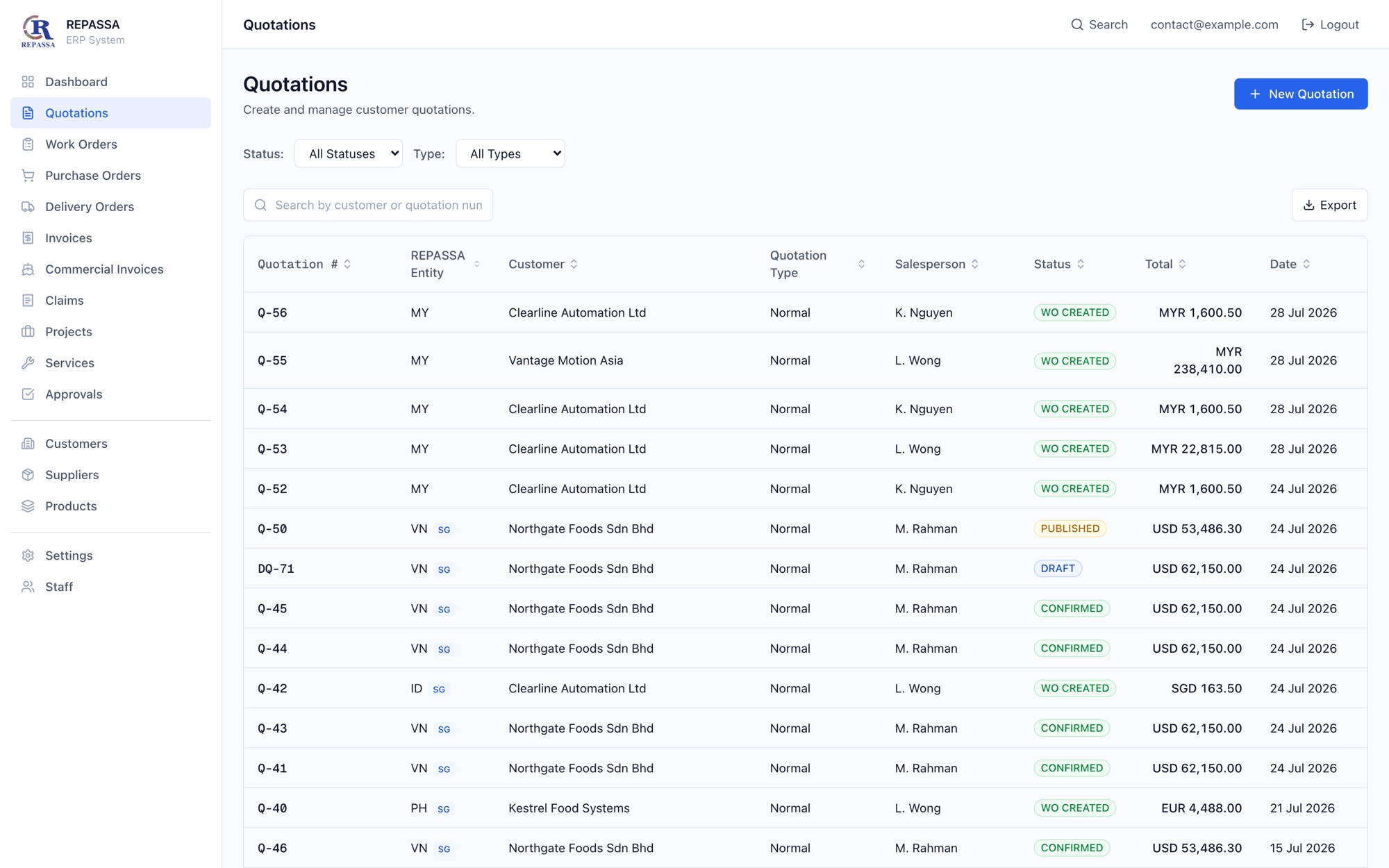
ILLUSTRATIVE WORKFLOW
From supplier invoice to approved record
1. AI prepares
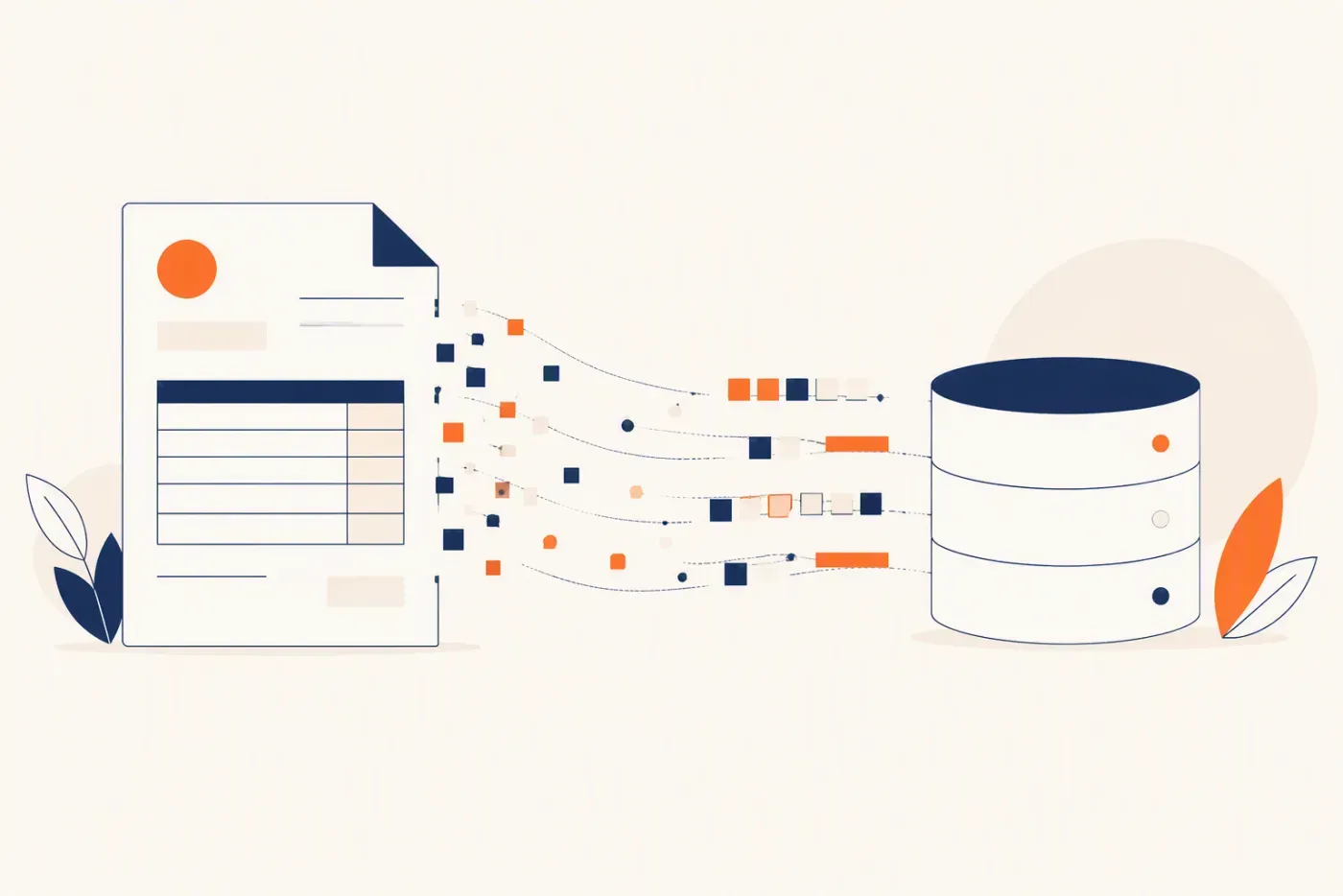
Extract the supplier, line items and totals into a draft. Flag missing details and possible duplicates.
2. Your team checks
Compare the draft with the original document and purchase order. Correct exceptions before approval.
3. An authorised person approves
Only then send the approved record to the agreed next step, with a record of who approved it.
Show us one workflow to improve. We’ll help define a practical first module, including what needs human approval.
What is an AI ERP? (and what it is not)
An ERP (enterprise resource planning) system is the software backbone of a business: one place where quotes, orders, invoices, inventory, approvals, projects, and customer history live as structured records instead of scattered spreadsheets and chat threads. An AI ERP takes that backbone and puts working intelligence inside it. The AI reads incoming documents, drafts quotations and follow-ups, flags exceptions, and prepares management reports, and a human reviews and approves before anything final happens.
That last part is the model that actually works in practice: the AI drafts, the human approves. The system does the repetitive preparation (extraction, drafting, checking, summarizing) and your team keeps control of anything that spends money, commits the company, or reaches a customer. Over time, as trust builds, low-risk steps can run automatically with audit trails and rollback paths.
What an AI ERP is not: a chatbot bolted onto old software. Many vendors now ship an assistant that can answer questions about your data but never touches the workflow itself. That is a search box, not an AI ERP. The practical test when you evaluate any system: does the AI produce draft work product inside the workflow, or does it only talk about it?
Bolt-on AI chatbot
Answers questions about your data
AI in the workflow
Drafts real records: quotes, invoices, follow-ups
Bolt-on AI chatbot
Sits beside the workflow
AI in the workflow
Works inside the workflow with review queues
Bolt-on AI chatbot
No accountability trail
AI in the workflow
Every suggestion logged: proposed, approved, changed
Bolt-on AI chatbot
Value depends on someone asking
AI in the workflow
Value runs continuously: extraction, alerts, reports
Bolt-on AI chatbot
Workflow stays manual underneath
AI in the workflow
Repetitive steps shrink; humans keep the approvals
| Bolt-on AI chatbot | AI in the workflow |
|---|---|
| Answers questions about your data | Drafts real records: quotes, invoices, follow-ups |
| Sits beside the workflow | Works inside the workflow with review queues |
| No accountability trail | Every suggestion logged: proposed, approved, changed |
| Value depends on someone asking | Value runs continuously: extraction, alerts, reports |
| Workflow stays manual underneath | Repetitive steps shrink; humans keep the approvals |
The three levels of ERP intelligence
It helps to place your business on a simple maturity ladder. Most Singapore SMEs we meet are somewhere between level one and level two, and the practical jump is smaller than vendors make it sound.
System of record
The classic ERP: it stores transactions and prints reports. Data goes in, reports come out, and every insight requires a human to go looking. Many SMEs run this level across Excel, an accounting tool, and WhatsApp, which is why the data is never quite trustworthy.
System of workflow
The system starts enforcing how work moves: role-based approvals, status pipelines, reminders, and dashboards that update themselves. This is where most of the ROI hides for SMEs, because it eliminates the chasing, retyping, and 'where is that quote' overhead. It is also the prerequisite for safe AI: agents need structured, current data to act on.
Agentic system
AI agents work inside the workflows: reading documents, drafting quotes and follow-ups, watching for exceptions, and preparing decisions for humans to approve. The jump from level two to level three is mostly about trust and controls, not technology. Build the control layer first and the agents become an upgrade, not a gamble.
Where Singapore SMEs feel stuck
Most off-the-shelf ERP software is built for someone else's workflow. We design around yours.
Your AI has no clean data to act on
AI agents are only useful when orders, invoices, inventory, approvals, and customer history are structured. We build the ERP foundation first so automation has a safe place to work.
ERP vendors sell modules, not workflow fit
Generic ERP software makes your team adapt to someone else's process. We map your actual sales, operations, finance, and delivery flow before building.
Management cannot see live numbers
If every decision needs someone to export Excel, the business is flying blind. AI ERP gives live dashboards and exception alerts based on current activity.
Approvals are stuck in chats
Quotes, purchases, claims, and leave approvals need role-based routing, timestamps, audit trails, and reminders instead of scattered WhatsApp messages.
Automation feels risky
AI should not post invoices or approve spending without controls. We design human-in-the-loop actions, permission limits, and clear rollback paths.
Traditional ERP is too heavy
Most SMEs do not need a six-figure rollout. They need a focused first module that proves ROI, then expands into a full operating system.
What an AI ERP actually does day-to-day
Forget the demos. These are the working agents we build into real Singapore SME systems, each one preparing work for a human to review rather than acting alone.
Quotation drafting agent
Turns product lists, service scopes, or renovation line items into quote drafts with pricing rules, margin checks, and approval routing. Sales staff review and send instead of retyping.
Invoice and document extraction
Reads supplier invoices, receipts, claims, and forms from PDFs or photos, extracts supplier, GST, line items, and totals, then pushes them into a review queue before anything is posted.
Follow-up chaser
Summarizes lead history, suggests next actions, drafts WhatsApp or email follow-ups, and flags stale opportunities so deals stop dying of silence.
Exception alerts
Watches live data for missing stock, delayed tasks, overdue approvals, unbilled work, and margin risks, and surfaces them before they become month-end surprises.
Report generation
Prepares weekly management summaries across sales, finance, project progress, stock, and team workload using live ERP data instead of hand-built Excel.
Knowledge search
Lets staff ask natural-language questions across SOPs, past projects, product specs, customer notes, and internal documents, with answers grounded in your own records.
Under the hood these agents ride on the same ERP modules you would expect: sales CRM and quotations, operations dashboards, finance automation, inventory and procurement, approval controls, and integrations with Xero, Google Workspace, Stripe, Shopify, and your existing database.
How much does an AI ERP cost in Singapore? (real numbers)
Almost nobody publishes numbers on this topic, which is exactly why buyers end up anchored to whatever the first salesperson says. Here is the honest market picture, in three paths.
Off-the-shelf subscriptions
Packaged ERP suites typically run a few hundred to a few thousand dollars a month, depending on modules and user count. Cheapest to start, but the fees never end, the workflow is theirs not yours, and per-user pricing punishes growth.
Large-vendor custom builds
Custom ERP projects from larger vendors are commonly quoted in the S$50k to S$300k+ range in Singapore, usually as multi-month engagements with consultant-heavy discovery phases before anything ships.
Focused-module approach (ours)
Digital 9 Labs starts from S$3.5k onwards for a focused first module built around one painful workflow. Larger systems are scoped after a workflow review, with a fixed quote upfront so there is no billable-hours drift.
What actually drives cost in a custom build: the number of distinct workflows (a quotation module is one workflow; quotes plus inventory plus payroll is three), the messiness of existing data, the number of integrations, and how much of the process needs approval logic versus simple record-keeping. Starting with one module keeps all four variables small, proves value in weeks, and gives you a working system to extend rather than a big-bang project to survive.
How long does implementation take?
A focused first module typically takes 4 to 8 weeks from workflow review to a system your team is actually using. That covers mapping the workflow, building the data model and screens, setting up roles and approvals, migrating the records that matter, and a working session with your team so adoption starts on day one.
Compare that with traditional full-suite ERP implementations, which are routinely planned in phases spanning many months, with training and change management as separate line items. The difference is not magic, it is scope: one workflow, built around how the team already works, ships fast. Ten modules configured to a generic template does not.
After the first module, expansion is phased. Each subsequent module lands on a foundation that already has your users, permissions, and data conventions, so later phases tend to move faster than the first. The rollout follows adoption: we extend what the team actually uses instead of building ahead of them.
PSG, EDG and the new EDGE grant: can government funding cover your AI ERP?
Partly, yes, but the two main grants work very differently, and vendors routinely blur the line. Here is the honest breakdown.
The Productivity Solutions Grant (PSG) supports adoption of pre-scoped IT solutions, equipment and consultancy services, where the quotation comes from a pre-approved vendor listed in the PSG Solutions Directory. PSG supports up to 50% of qualifying costs for SMEs on pre-approved solutions. Because the mechanism is pre-approved packaged solutions only, a custom or bespoke software build does not qualify for PSG. If a vendor tells you their custom build is "PSG claimable", ask to see the exact listing in the directory.
The Enterprise Development Grant (EDG) is the path that fits custom projects. It supports up to 50% of eligible costs for local SMEs and covers third-party consultancy fees, software and equipment, and internal manpower cost. There is no pre-approved vendor list. Custom ERP builds can qualify under the Innovation and Productivity (Automation) category, subject to EnterpriseSG's assessment of the project scope, outcomes and provider competency.
The honest fine print, which most grant-waving marketing skips: the project must be new (not started, no payment made, no contract signed before you apply), funding is on a reimbursement basis rather than upfront, processing takes roughly 8 to 12 weeks, claims are audited, and approval is never guaranteed. Plan the project so it makes sense at full price, and treat an approved grant as upside.
One more timing note: EnterpriseSG has announced that a new consolidated grant, EDGE, launches in 2H2026, with existing grants (EDG, MRA, PSG) remaining accessible until launch. EDGE's support percentages and categories are not yet published, so nobody can honestly tell you today whether custom software qualifies under it. If you are planning a project, the practical move is to apply under the current EDG framework before the switchover.
PSG
- What it funds
- Pre-scoped IT solutions, equipment and consultancy from pre-approved vendors
- Support level
- Up to 50% of qualifying costs for SMEs on pre-approved solutions
- Custom AI ERP eligible?
- No. PSG covers pre-approved packaged solutions only
- Vendor requirement
- Quotation must come from a vendor listed in the PSG Solutions Directory
- Timing
- Available until the EDGE switchover
EDG
- What it funds
- Project-based upgrades, including custom software: third-party consultancy, software and equipment, and internal manpower
- Support level
- Up to 50% of eligible costs for local SMEs
- Custom AI ERP eligible?
- Yes, it can qualify under Innovation and Productivity (Automation), subject to EnterpriseSG assessment
- Vendor requirement
- No pre-approved vendor list
- Timing
- Available now; processing takes roughly 8 to 12 weeks
EDGE (from 2H2026)
- What it funds
- Details pending EnterpriseSG announcement
- Support level
- Not yet published
- Custom AI ERP eligible?
- Not yet published; do not plan around it
- Vendor requirement
- Not yet published
- Timing
- Launches 2H2026
| PSG | EDG | EDGE (from 2H2026) | |
|---|---|---|---|
| What it funds | Pre-scoped IT solutions, equipment and consultancy from pre-approved vendors | Project-based upgrades, including custom software: third-party consultancy, software and equipment, and internal manpower | Details pending EnterpriseSG announcement |
| Support level | Up to 50% of qualifying costs for SMEs on pre-approved solutions | Up to 50% of eligible costs for local SMEs | Not yet published |
| Custom AI ERP eligible? | No. PSG covers pre-approved packaged solutions only | Yes, it can qualify under Innovation and Productivity (Automation), subject to EnterpriseSG assessment | Not yet published; do not plan around it |
| Vendor requirement | Quotation must come from a vendor listed in the PSG Solutions Directory | No pre-approved vendor list | Not yet published |
| Timing | Available until the EDGE switchover | Available now; processing takes roughly 8 to 12 weeks | Launches 2H2026 |
Source: GoBusiness and Enterprise Singapore official grant pages, accessed July 2026. Eligibility and support levels are set by the agencies and subject to their assessment; verify current terms before applying.
Custom AI ERP vs HashMicro vs NetSuite vs Odoo
These are all legitimate options, and each fits a different kind of buyer. The comparison below sticks to what each model structurally is, rather than marketing claims. Where a vendor does not publish a number, we say so instead of guessing.
D9L Custom AI ERP
Our approach
- Model
- Custom-built around your workflow
- Starting cost
- From S$3.5k for a focused first module
- Pricing transparency
- Published entry point, fixed quote after workflow review
- Time to first working module
- 4 to 8 weeks typical
- Workflow fit
- Built around your process
- Source-code ownership
- Yes, you own the code
- AI approach
- Agents inside your workflow, human-in-the-loop
- Grant path
- EDG for qualifying custom projects, up to 50% of eligible costs, subject to EnterpriseSG assessment
- Lock-in and exit
- You keep the code and data
- Best for
- SG SMEs wanting workflow fit and ownership
HashMicro
- Model
- Modular cloud suite
- Starting cost
- Not published
- Pricing transparency
- Quote-based
- Time to first working module
- Not published
- Workflow fit
- Adapt your process to the modules
- Source-code ownership
- No, subscription software
- AI approach
- AI assistant layer (vendor's own positioning)
- Grant path
- Check the PSG Solutions Directory for current pre-approved listings
- Lock-in and exit
- Subscription-based; verify exit terms
- Best for
- Organisations wanting many pre-built modules
NetSuite
- Model
- Enterprise cloud suite
- Starting cost
- Not published
- Pricing transparency
- Quote-based
- Time to first working module
- Not published
- Workflow fit
- Adapt your process to the modules
- Source-code ownership
- No, subscription software
- AI approach
- AI features within the suite (vendor's own positioning)
- Grant path
- Verify with vendor
- Lock-in and exit
- Subscription-based; verify exit terms
- Best for
- Enterprise-track companies standardising on a global suite
Odoo
- Model
- Open-source modular suite
- Starting cost
- Varies by edition and hosting
- Pricing transparency
- Varies by edition and hosting
- Time to first working module
- Not published
- Workflow fit
- Configure and customise modules
- Source-code ownership
- Open-source core; hosted editions vary
- AI approach
- Varies by modules and apps
- Grant path
- Verify with vendor
- Lock-in and exit
- Depends on hosting choice
- Best for
- Technical teams comfortable with open source
| D9L Custom AI ERP | HashMicro | NetSuite | Odoo | |
|---|---|---|---|---|
| Model | Custom-built around your workflow | Modular cloud suite | Enterprise cloud suite | Open-source modular suite |
| Starting cost | From S$3.5k for a focused first module | Not published | Not published | Varies by edition and hosting |
| Pricing transparency | Published entry point, fixed quote after workflow review | Quote-based | Quote-based | Varies by edition and hosting |
| Time to first working module | 4 to 8 weeks typical | Not published | Not published | Not published |
| Workflow fit | Built around your process | Adapt your process to the modules | Adapt your process to the modules | Configure and customise modules |
| Source-code ownership | Yes, you own the code | No, subscription software | No, subscription software | Open-source core; hosted editions vary |
| AI approach | Agents inside your workflow, human-in-the-loop | AI assistant layer (vendor's own positioning) | AI features within the suite (vendor's own positioning) | Varies by modules and apps |
| Grant path | EDG for qualifying custom projects, up to 50% of eligible costs, subject to EnterpriseSG assessment | Check the PSG Solutions Directory for current pre-approved listings | Verify with vendor | Verify with vendor |
| Lock-in and exit | You keep the code and data | Subscription-based; verify exit terms | Subscription-based; verify exit terms | Depends on hosting choice |
| Best for | SG SMEs wanting workflow fit and ownership | Organisations wanting many pre-built modules | Enterprise-track companies standardising on a global suite | Technical teams comfortable with open source |
Based on publicly available information, July 2026. Verify details with each vendor.


Will Automating This Actually Pay?
Time one real cycle, put the honest numbers in, and read the payback. If it is longer than about two years, the honest answer is not to build it yet.
Time one real cycle rather than estimating.
Salary plus CPF and overheads, divided by hours worked.
Review and approval should stay human. 100% is rarely honest.
A focused first module starts from about S$3,500.
Rework, corrections, refiling. Be conservative.
Illustrative only. If the payback is longer than about two years, the honest answer is usually not to build it yet.
Include site, warehouse and part-time staff. Per-seat licences charge for all of them.
The quoted per-seat price, before implementation.
Commonly 50% to 150% of first-year licence.
A focused first module starts from about S$3,500; a departmental system runs into the tens of thousands.
Billed at cost to your own account.
The per-seat line grows with headcount; a build does not.
EDG can support up to 50% of qualifying costs for eligible local SMEs, on reimbursement. Confirm with Enterprise Singapore.
Illustrative only. Substitute your own quoted figures. Implementation, migration and your own team time (8 to 15 hours per module) apply to both routes and are not modelled here.
Every figure stays in your browser: nothing is submitted. See all free tools
Risks, and how the decision usually goes
The ways these projects go wrong are well known and almost none of them are technical. The second column is the honest version of when we would tell you not to build at all.
Project risks and the guard against each
- Scope creep: guarded by a written baseline and changes priced before they are built.
- No internal owner: one person with authority beats a committee of six.
- Data worse than expected: sampled in week one, not discovered in week eight.
- Key person unavailable: workflow review documented so knowledge is not single-threaded.
- Adoption resistance: interview the sceptic first and be faster than their spreadsheet.
- Integration surprises: third-party APIs confirmed in week one.
- Statutory change mid-project: CPF and GST logic isolated so it updates independently.
- Go-live timing: never during peak trading, never on a Friday.
- Testing by the wrong people: users test their own real cases, not managers.
- Internal time unbudgeted: 8 to 15 hours per module is real and rarely counted.
- Reporting expectations unstated: agree the five numbers before the build starts.
- Hosting and access left late: accounts in your name, sorted by week two.
How the buy-or-build decision usually lands
- Under 10 seats with a standard process: buy off-the-shelf, and we will say so.
- Over 25 seats with a specific process: a build usually wins on five-year cost.
- 20 seats at S$120 a month is S$28,800 a year and S$144,000 over five years.
- A departmental build is S$25,000 to S$60,000 once, plus hosting at cost.
- Implementation on a licensed product adds 50% to 150% of first-year licence.
- EDG may support up to 50% of qualifying costs on a custom build, on reimbursement.
- Adding 10 staff: S$14,400 a year more on a licence, S$0 on a build.
- Hosting runs S$50 to S$300 a month, billed at cost to your own account.
- Data migration is S$3,000 to S$15,000 depending on volume and data quality.
- Training is 2 to 5 days, in 30 to 60 minute sessions per role.
- A first module is live in 4 to 8 weeks; departmental rollouts take 3 to 6 months.
- Keep your accounting system: we integrate with Xero rather than rebuilding it.
- Month one after go-live: usage watched daily, unused screens investigated.
- Month two: real edge cases surface and are handled or explicitly excluded.
- Month three: the original pain is re-measured against the baseline.
- Months four to six: reporting settles and ad-hoc number requests drop.
- Six to twelve months: the second module is faster because the data model is shared.
- Year two: annual usage review, with dead features retired rather than maintained.
- Handover includes repository access, documentation and hosting in your name.
- Stopping is valid: if a module cannot be justified by hours or revenue, do not build it.
- A S$40,000 build across 25 users over 5 years is about S$320 per user per year.
- A S$120 monthly licence is S$1,440 per user per year, and it does not fall.
- At 20 seats a build typically repays within 18 months against that licence.
- A 1% margin recovery on S$2,000,000 quoted is S$20,000 a year, exceeding most first modules.
The numbers behind an AI ERP decision
Illustrative Singapore figures so you can build the case yourself rather than react to a quote. Substitute your own headcount, seat price and hours throughout: these size a decision, they do not predict your bill.
What it costs, and what a licence costs
- A focused first module runs S$3,500 to S$12,000 and is live in 4 to 8 weeks.
- A departmental build of 3 to 4 linked workflows runs S$25,000 to S$60,000.
- 20 licence seats at S$120 a month is S$28,800 a year, or S$144,000 across 5 years.
- Implementation on a licensed product commonly adds 50% to 150% of first-year licence.
- Data migration typically costs S$3,000 to S$15,000 depending on record volume and quality.
- Training is usually 2 to 5 days, delivered in 30 to 60 minute sessions per role.
- Budget 8 to 15 hours of your own team's time per module for interviews and testing.
- Hosting for an SME system runs S$50 to S$300 a month, billed at cost to your account.
- EDG can support up to 50% of qualifying costs for eligible local SMEs, on reimbursement.
- A back-office hire costs roughly S$3,000 to S$4,500 a month before CPF and overheads.
- A workflow costing 20 hours a month is 240 hours a year, about S$7,200 at S$30 an hour.
- Adding 10 staff costs S$14,400 a year more on a per-seat licence, and S$0 on a build.
Where agents earn their keep
- Document extraction: invoices and delivery orders become records without keying.
- Follow-up chasing drafted from the record and held for human approval.
- Operational questions answered from live data instead of a report request.
- Quote and scope drafting from structured line items, edited by the owner.
- Anomaly spotting on price moves and margins below a floor you set.
- Reconciling payments against invoices and surfacing only the exceptions.
- Classifying inbound enquiries and routing them to the right queue.
- Summarising a customer history before a call, from the same records.
- Watching stock velocity and flagging reorder points that have drifted.
- Checking a quote against your own pricing rules before it is sent.
- Drafting a monthly management summary from numbers already recorded.
- Reading a supplier price list and proposing catalogue updates for review.
Benchmarks worth measuring before and after
- Stock accuracy commonly sits at 85% to 92% with annual counts, and 98%+ with cycle counting.
- A 2% stock variance on S$400,000 of inventory is S$8,000 written off a year.
- Manual invoice handling at 2 minutes each is 10 hours a month on 300 invoices.
- Payroll for 30 staff commonly absorbs 20 hours a month, about 240 hours a year.
- Poor warehouse slotting adds roughly 30 seconds per pick, or 4 hours a day at 500 lines.
- A 1% mispick rate on 500 lines a day is 5 errors daily plus redelivery cost.
- Quote assembly by hand takes 30 to 60 minutes; configured quoting takes 5 to 10.
- A first module is live in 4 to 8 weeks; a departmental rollout is 3 to 6 months.
- Systems used daily within 2 weeks of training tend to stick; beyond a month rarely recover.
- Support commitments worth asking for: 4 business hours normal, 1 hour if trading is blocked.
- Retention at 5% on a S$1.2m construction contract is S$60,000 held.
- A 0.3% payment-rate gap on S$1,000,000 of card turnover is S$3,000 a year.
What an AI ERP should and should not do on its own
Agents are useful exactly where the data is structured and the cost of being wrong is low. The second list is a policy choice rather than a capability limit: these are the actions we deliberately keep behind a human approval, and we would advise the same even when the model is capable of doing them unaided.
Where AI earns its keep in an ERP
- Document extraction: supplier invoices and delivery orders become records without keying.
- Follow-up chasing: overdue invoices drafted from the record, held for approval.
- Operational questions answered from live data instead of a report request.
- Drafting quotes and scopes from structured line items, then edited by the owner.
- Anomaly spotting: a price that moved or a margin below floor, flagged while it matters.
- Summarising a customer history before a call, from the same records.
- Classifying inbound enquiries and routing them to the right queue.
- Reconciling payments against invoices and surfacing only the exceptions.
- Checking a quote against your own pricing rules before it is sent.
- Watching stock velocity and flagging reorder points that have drifted.
- Drafting a monthly management summary from the numbers already recorded.
- Reading a supplier PDF price list and proposing catalogue updates.
Where AI should not act alone yet
- Paying anyone, under any circumstances, without human approval.
- Sending a message to a customer that has not been reviewed.
- Signing or committing to anything on the company's behalf.
- Changing a price that a customer has already been quoted.
- Writing off stock or adjusting inventory without a reason code and a reviewer.
- Deciding credit terms or releasing an order held for payment.
- Amending payroll, statutory contributions or anyone's pay.
- Deleting records, ever, rather than marking them inactive.
- Interpreting a contract clause without a human reading it too.
- Acting on data it has flagged as low confidence.
- Escalating to a director without a person confirming it is warranted.
- Anything where being wrong is expensive and hard to reverse.
Build vs buy: which path fits your operation
We build custom systems for a living, and we will still tell you: off-the-shelf is sometimes the right answer. The decision comes down to how standard your process is and how much your workflow is your edge.
Buy off-the-shelf when
- Your process is genuinely standard (basic invoicing, standard retail POS, simple payroll).
- You need something running this week and can live inside the vendor's workflow.
- A pre-approved PSG solution already matches what you need, making the packaged route cheaper after support.
- You have no appetite to own a system, even with a vendor maintaining it.
- Your headcount is small and stable, so per-seat pricing never really bites.
- You want someone else to own statutory change such as CPF or GST rate updates.
- Nobody internally has time to be the decision-maker on a build project.
- The workflow you need is one every business in your trade runs the same way.
- You are pre-revenue or very early and cannot justify a build yet.
- A packaged solution already carries the statutory logic you would have to specify.
- Your team changes often and vendor training material is worth more than bespoke fit.
- You genuinely do not mind adapting how you work to how the product works.
- The process you are automating will likely change again within a year.
- You want a support number to call rather than a development relationship.
- Compliance certifications the vendor already holds matter to your customers.
- Budget is operational rather than capital, and a subscription fits that better.
- You want to prove the process is worth systemising before you invest in one.
- Your volumes are low enough that manual handling is genuinely cheaper.
- You are testing a new business line and may shut it down.
- An existing product already does 90% of what you need out of the box.
- You have no internal owner with authority to make build decisions.
- Your process is documented and standard enough to hand to any vendor.
- Seasonality means the system is idle for months at a time.
- You are mid-acquisition and the systems question is not yours to settle yet.
- The cost of being wrong is higher than the cost of the subscription.
- A trial period matters more to you than long-term ownership.
- Your auditors already accept the packaged product's controls.
- You would rather spend the budget on people than on software.
- The workflow is genuinely commodity and confers no advantage.
- You want to switch it off next quarter if it does not work.
- Integration needs are limited to one or two common tools.
- You are comfortable that the vendor owns your data model.
Build custom when
- Your workflow is your edge: how you quote, deliver, or serve customers is what wins you business.
- Off-the-shelf modules force workarounds, and the team quietly falls back to Excel and WhatsApp.
- Per-user subscription pricing is starting to punish your growth.
- You want AI agents working inside your specific process, not a generic assistant beside it.
- You want to own the code and data, and potentially fund the project under EDG.
- You run several entities and need one reporting view across them.
- Site, warehouse or field staff all need access and each seat adds licence cost.
- Your reporting question is never the one the packaged dashboard answers.
- You have already paid twice to customise a product that still does not fit.
- Integrations to what you already run matter more than replacing it.
- You need agents acting inside your process, not a chatbot beside it.
- Your data must stay in a region and under access rules you control.
- You want the option to fund the project under EDG rather than expense a licence.
- The vendor roadmap has never shipped the one feature you actually need.
- You have outgrown the product tier and the next tier prices like an enterprise.
- Approval chains in your business do not match any packaged workflow.
- You want one reporting view across entities the vendor treats as separate accounts.
- Your busiest users are on site or on the road, not at a desk.
- You would rather own an asset than rent a subscription indefinitely.
- Name one internal owner accountable for the system after go-live.
- Use one written channel for change requests, sized before they are committed.
- Review usage monthly for the first quarter, then quarterly thereafter.
- Give master data an owner: customers, products and cost codes drift without one.
- Name who watches for GST and CPF change, and who applies it.
- Re-measure the original baseline quarterly so value is evidenced, not assumed.
- Review access quarterly and remove leavers the day they leave.
- Keep documentation with the system and update it on change, not annually.
- Decide the next module from measured hours or protected revenue only.
- Your exit: repository, database and hosting in your name, with a recorded handover.
- Admin accounts minimised, with two-factor authentication on all of them.
- Unused features are a signal worth investigating, not a footnote to ignore.
- Do not go live during peak trading, and never on a Friday.
- Users test their own real cases before sign-off, not managers running scripts.
- One parallel cycle with both systems live before the switch is made.
- Training in 30 to 60 minute sessions per role, with a follow-up after week one.
- Adoption is measured by the old spreadsheet being deleted, not by attendance.
- A stalled project is visible by week three when builds are shown weekly.
- Statutory logic is isolated so it can be updated without touching everything else.
- Integrations are confirmed in week one, not discovered in week six.
- Agents should never pay anyone without a human approving it first.
- No customer message leaves unreviewed, regardless of how good the draft is.
- Nothing is deleted, ever; records are marked inactive instead.
- Low-confidence extractions are surfaced for a person, not guessed at.
- Price changes on an issued quote always require a human decision.
- Credit terms and held orders stay a human judgement call.
- Payroll and statutory contributions are never adjusted automatically.
- Contract interpretation gets a human reader, every time.
- Stock write-offs need a reason code and a named reviewer.
- Escalation to a director is confirmed by a person before it fires.
- Anything expensive and hard to reverse stays behind an approval gate.
- Approval gates are a policy choice, not a limitation of the model.
- Every automated action is logged and attributable to a rule you set.
- Confidence thresholds are yours to set and yours to change.
- You can turn any agent off without breaking the underlying records.
- The system works fine with every agent disabled: automation is additive.
- Agents read the same records your team does, with the same permissions.
- No agent has access a person in that role would not have.
- Nothing an agent does is invisible in the audit trail.
- If the data is wrong, the agent is wrong: clean operations come first.
A useful middle path exists too: keep the tools that work (Xero for accounting is the common example) and build the custom operational layer around them. Most of our builds integrate with existing software rather than replacing everything.
How we deliver
Workflow diagnosis
We map your current operating flow and identify which part of the business should become the first AI-ready ERP module.
Build the control layer
We ship a focused system with clean data, permissions, dashboards, and approval logic before adding risky automation.
Layer in AI safely
Once the workflow is stable, we add agents that draft, summarize, extract, check, and recommend with human approval where needed.
What makes a system AI-ready
AI is not magic on top of messy operations. The ERP must give AI clean context, clear permission limits, and reliable places to write back.
Structured records
Customers, quotes, orders, invoices, inventory, approvals, tasks, and documents need consistent fields and relationships.
Permission boundaries
AI actions are scoped by role, amount, workflow stage, and approval policy so automation does not become a risk.
Audit trails
Every AI-assisted action should show what was suggested, who approved it, and what changed.
Human review queues
Use AI to prepare and check work, then route exceptions to the right person before posting or sending.
Integrated knowledge
SOPs, product info, pricing rules, previous projects, and customer context should be connected to the workflow.
Measurable outcomes
Track turnaround time, approval delays, data-entry hours saved, quote speed, collection speed, and lead follow-up consistency.
Singapore SME workflows we design for
A useful ERP must understand the shape of the business. We design for local operating habits, not just textbook enterprise software diagrams.
GST and accounting handoff
GST-ready fields, invoice records, tax summaries, and clean exports for accountants or Xero-style systems.
WhatsApp-heavy sales teams
Capture sales conversations into structured follow-ups, tasks, quotes, and pipeline stages instead of losing context in chats.
Owner approval bottlenecks
Give owners a clean approval queue for discounts, purchases, expenses, claims, and exceptions without digging through messages.
Project-based delivery
Track scope, milestones, variation orders, progress billing, cost-to-complete, and handover documents from one place.
Multi-role small teams
Support teams where one person handles sales, operations, purchasing, billing, and customer support in the same day.
Regional growth
Prepare for multi-entity, multi-currency, supplier, and cross-border reporting needs before the spreadsheet breaks.
Real deployments
Three systems currently running inside Singapore businesses, described at industry level. Every one started as a single painful workflow, not a grand ERP vision.
Quotation-to-project workflow
A design studio ran quotations, revisions, and project handovers across spreadsheets and chat threads. We built a system that turns scoped line items into structured quotations with revision history, routes them for approval, and converts a won quote into a project record with milestones and billing stages. The sales-to-delivery handoff that used to live in someone's head now lives in the system.
See real ERP projectsOperations and patient workflow
A multi-clinic dental group needed operational visibility beyond what the practice management software showed. We built an operations layer covering appointment flow, task tracking across clinics, and management views of the day-to-day pipeline, so the doctors could run the group from one screen instead of piecing together reports from each location.
See real ERP projectsQuoting and engineering handover
An audio-visual engineering firm quoted complex multi-line systems and then re-explained every job to the engineering team. We built a quoting workflow with structured line items and margin visibility, and an engineer-facing view that carries the accepted scope straight into delivery, so what was sold and what gets built stay in sync.
See real ERP projects7 questions to ask any AI ERP vendor
Take these into every demo, including ours. The pattern in the answers tells you more than the feature list.
Does the AI act inside the workflow, or is it a chatbot on the side?
Ask to see the AI produce a draft record (a quote, an extracted invoice, a follow-up) inside the system, not just answer questions about your data.
What does the human approve, and where is the audit trail?
Any AI that posts, sends, or spends should show what was suggested, who approved it, and what changed. If the vendor cannot show this, the automation is a liability.
Who owns the source code and the data?
With subscription software the answer is the vendor. With a custom build it should be you, in writing. Ask what happens to your data and access if you stop paying.
What is the honest grant position?
PSG applies only to pre-approved packaged solutions. Custom builds go through EDG, subject to EnterpriseSG assessment. A vendor who promises guaranteed grant approval is overselling.
What is the committed timeline to a first working module?
Not the full rollout, the first thing your team actually uses. If the vendor cannot commit to a number of weeks, expect a number of months.
How does it fit the systems you already run?
Xero, spreadsheets, WhatsApp, e-commerce platforms. A good answer describes integration and handoff; a bad answer requires replacing everything at once.
What happens when your process changes?
Ask what a change request costs and how long it takes. Module-based suites often make small workflow changes expensive; a custom system should absorb them as normal work.
Show us one workflow to improve
Tell us about the workflows you want to improve. We'll respond within 24 hours.
Frequently asked questions
What Singapore SME owners usually ask before committing to an AI ERP build.
Related ERP services
Written by Samuel Chan, Digital 9 Labs. Last updated 4 July 2026.